Numerical Stability and Precision#
Note
Who should read this page? Refer to this detailed guide when:
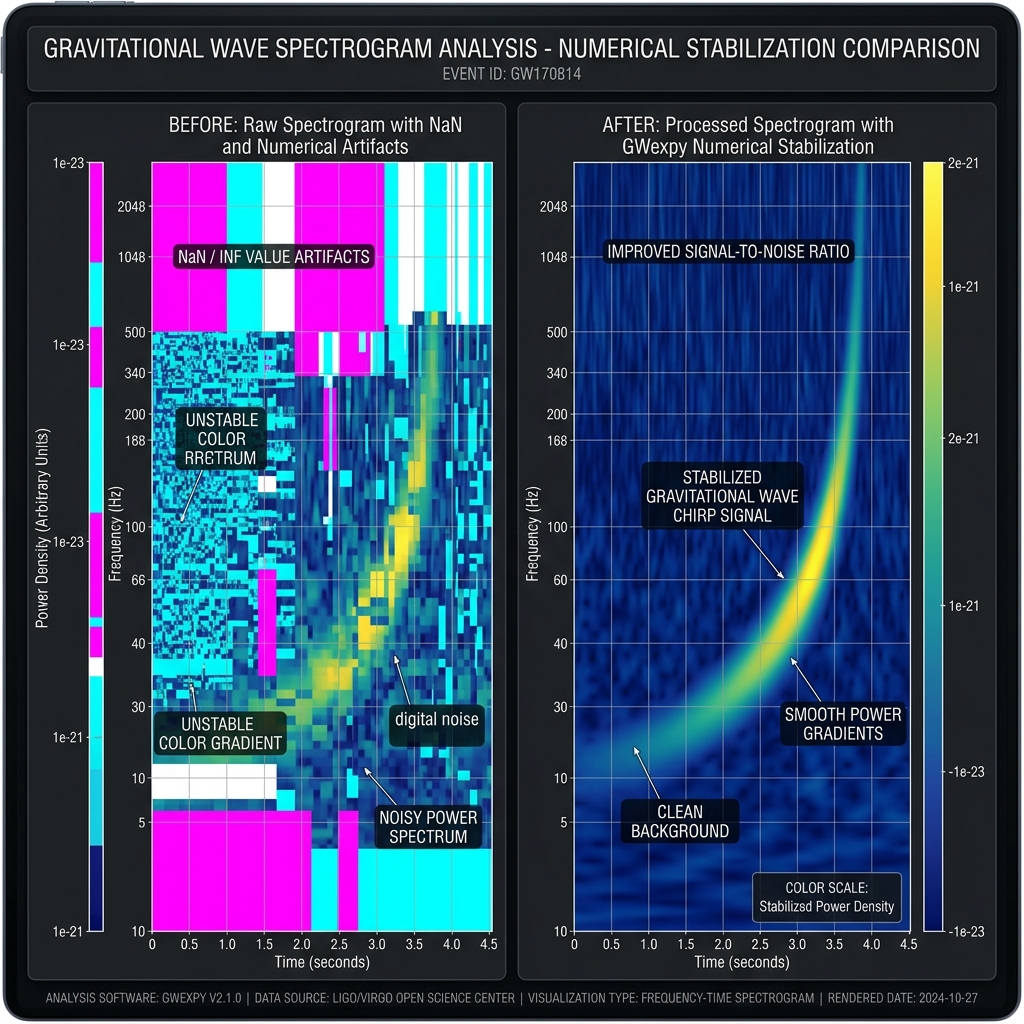
You see “holes” or “unusual colors” in your plots caused by
NaNorInf.You are working with a dynamic range that makes a numerical parameter or plotted scale hard to choose.
You want to deeply understand the numerical behavior of algorithms and tune parameters like
epsortol.
gwexpy provides selected stabilization utilities for operations such as whitening and logarithmic conversion. Their behavior and limits depend on the API used.
TL;DR#
For normal analysis, start by trusting the default
gwexpysettings.Do not add manual offsets such as
+ 1e-20before plotting unless you have a concrete reason.Tune parameters only when you actually observe
NaN/Inf, work with extreme amplitudes, or need algorithm-level validation.
Impact of Stabilization (Before & After)#
A comparison between standard methods (simple log10 or fixed eps) and gwexpy’s robust numerical stabilization algorithms.
Item |
Standard path |
GWexpy path |
|---|---|---|
Zero Values |
|
|
Small denominators |
A fixed |
The documented whitening entry points accept |
Non-finite input |
A numerical operation can be undefined |
Individual APIs validate or reject input according to their documented contract |
Core Stabilization Methods and APIs#
Method |
Target API |
Issues Resolved |
Configuration Hint |
|---|---|---|---|
Adaptive Whitening |
|
Small denominators |
Use |
Safe Log Conversion |
|
|
Set |
Data-scaled epsilon |
|
Selecting an epsilon from the data scale |
Specify |
Detailed Explanations and Examples#
1. Adaptive Whitening#
Goal: Avoid signal loss caused by a fixed eps.
Input: A TimeSeries containing very small amplitudes.
Output: A whitened series with automatic scaling.
Standard whitening often uses a fixed normalization parameter (eps) to prevent division by zero. If this value is too large, micro-signals are lost.
❌ Bad Example: Fixed eps causing signal loss#
# A fixed eps of 1e-12 rounds a 1e-21 signal to zero
whitened = data / (asd + 1e-12)
✅ Good Example: GWexpy’s eps="auto"#
gwexpy dynamically scales eps relative to the data range and uses a SAFE_FLOOR (1e-50) for singularities. The adaptive eps is available on the channel-whitening entry points: TimeSeriesMatrix.whiten_channels(), the functional whiten_matrix(), and gwexpy.signal.preprocessing.whiten().
from gwexpy.timeseries import TimeSeriesMatrix
import numpy as np

tsm = TimeSeriesMatrix(np.random.randn(3, 1, 1000) * 1e-21, sample_rate=1024)
whitened, model = tsm.whiten_channels(eps="auto")  # adaptive eps (returns matrix + model)
2. Safe Logarithmic Scaling (Safe Log)#
Goal: Prevent -inf values and broken plots when zeros are present.
Input: ASD/PSD-like data with zeros or very quiet regions.
Output: A stable visualization with a dynamic floor.
Prevents -inf values when visualizing spectrograms or PSDs containing zeros or quiet regions.
❌ Bad Example: Numerical errors via manual conversion#
asd_db = 10 * np.log10(asd) # Zeros become -inf, breaking the plot
✅ Good Example: Explicit safe-log conversion#
safe_log_scale() calculates a floor from the finite data maximum and the requested dynamic range, then returns decibels.
from gwexpy.numerics import safe_log_scale

asd_db = safe_log_scale(asd.value, dynamic_range_db=120.0)
Recommendations for Users#
Use an explicit floor for dB conversion: Call
safe_log_scale()when converting data that may contain zeros or quiet regions.Choose whitening parameters at the API boundary: Use
eps="auto"only on the whitening entry points that document it, then inspect the result for the scientific application.Check the API contract: Validation, finite-value handling, and tolerances are implemented per operation rather than by a single global policy.
Next to Read#
API Reference — Entry point to all API pages
Prerequisites and Conventions — Shared FFT and numerical assumptions across the docs