Note
This page was generated from a Jupyter Notebook. Download the notebook (.ipynb)
[1]:
# Skipped in CI: Colab/bootstrap dependency install cell.
SpectrogramMatrix: Matrix Basics

This notebook introduces the basic usage of the SpectrogramMatrix class in gwexpy.
SpectrogramMatrix is a class designed to efficiently handle multiple gwpy.spectrogram.Spectrogram objects as a 3-dimensional matrix (Batch, Time, Frequency). It inherits from numpy.ndarray, enabling fast numerical computation and seamless integration with PyTorch/CuPy.
[2]:
import warnings

warnings.filterwarnings("ignore", category=UserWarning)
warnings.filterwarnings("ignore", category=DeprecationWarning)

import astropy.units as u
import matplotlib.pyplot as plt
import numpy as np

from gwexpy.timeseries import TimeSeriesMatrix

# Fix random seed
np.random.seed(42)
1. Data Preparation
[3]:
rng = np.random.default_rng(0)

# Sample configuration
n = 512
dt = (1 / 128) * u.s
t0 = 0 * u.s

t = (np.arange(n) * dt).to_value(u.s)

tone50 = np.sin(2 * np.pi * 50 * t)
tone20 = np.sin(2 * np.pi * 20 * t + 0.3)

data = np.empty((2, 2, n), dtype=float)
data[0, 0] = 0.5 * tone50 + 0.05 * rng.normal(size=n)
data[0, 1] = 0.5 * tone20 + 0.05 * rng.normal(size=n)
data[1, 0] = 0.3 * tone50 + 0.3 * tone20 + 0.05 * rng.normal(size=n)
data[1, 1] = 0.2 * tone50 - 0.4 * tone20 + 0.05 * rng.normal(size=n)

units = np.full((2, 2), u.V)
names = [["ch00", "ch01"], ["ch10", "ch11"]]
channels = [["X:A", "X:B"], ["Y:A", "Y:B"]]

tsm = TimeSeriesMatrix(
    data,
    dt=dt,
    t0=t0,
    units=units,
    names=names,
    channels=channels,
    rows={"r0": {"name": "row0"}, "r1": {"name": "row1"}},
    cols={"c0": {"name": "col0"}, "c1": {"name": "col1"}},
    name="demo",
)

display(tsm)
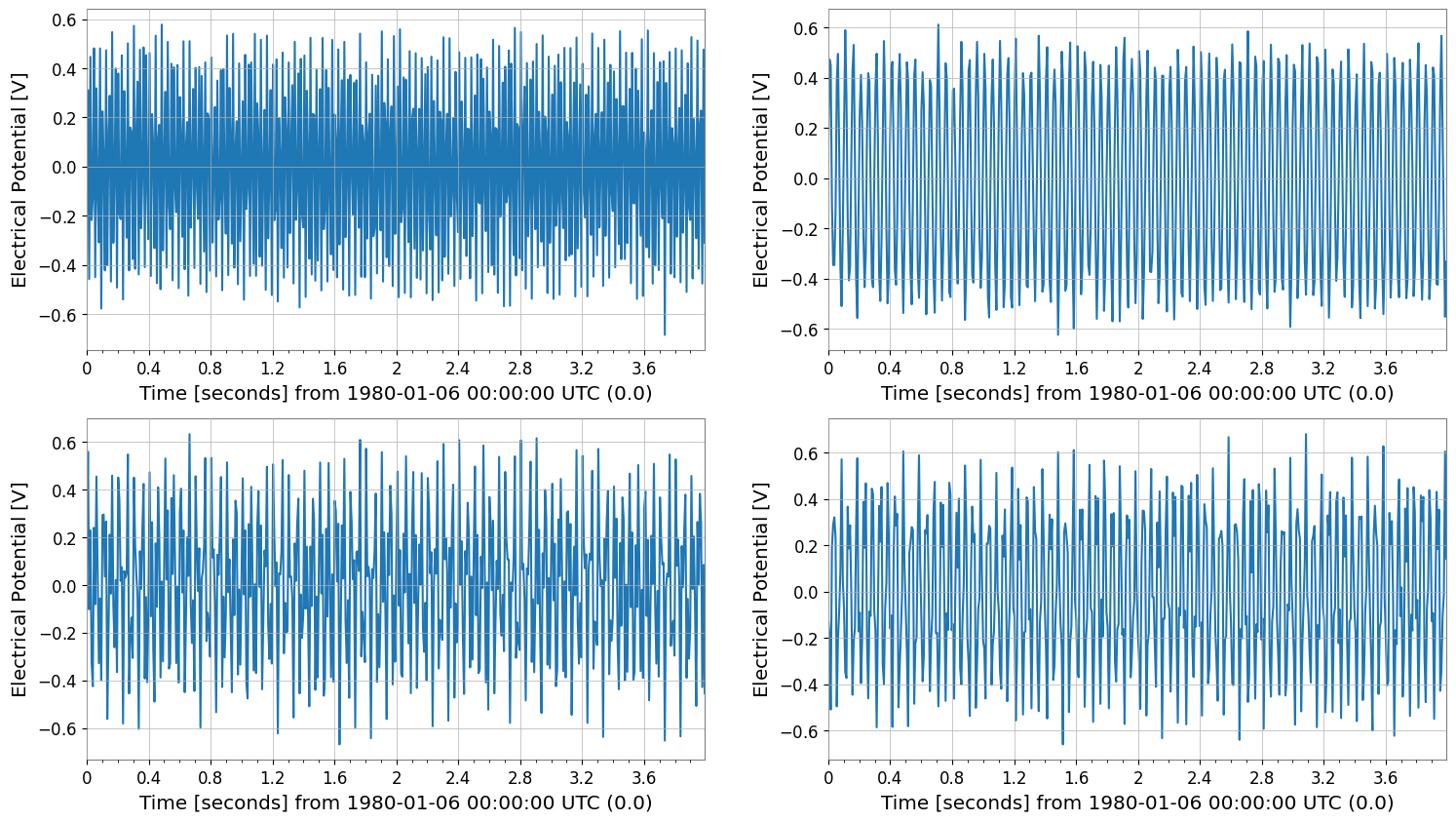
tsm.plot()
plt.show()
SeriesMatrix: shape=(2, 2, 512), name='demo'
- epoch: 0.0 s
- x0: 0.0 s, dx: 0.0078125 s, N_samples: 512
- xunit: s
Row Metadata
| name | channel | unit | |
|---|---|---|---|
| key | |||
| r0 | row0 | ||
| r1 | row1 |
Column Metadata
| name | channel | unit | |
|---|---|---|---|
| key | |||
| c0 | col0 | ||
| c1 | col1 |
Element Metadata
| unit | name | channel | row | col | |
|---|---|---|---|---|---|
| 0 | V | ch00 | X:A | 0 | 0 |
| 1 | V | ch01 | X:B | 0 | 1 |
| 2 | V | ch10 | Y:A | 1 | 0 |
| 3 | V | ch11 | Y:B | 1 | 1 |
2. Creating a SpectrogramMatrix
Using the to_matrix() method of SpectrogramList, all spectrograms are stacked into a single SpectrogramMatrix. This yields a 3-dimensional array with shape (N, Time, Frequency).
[4]:
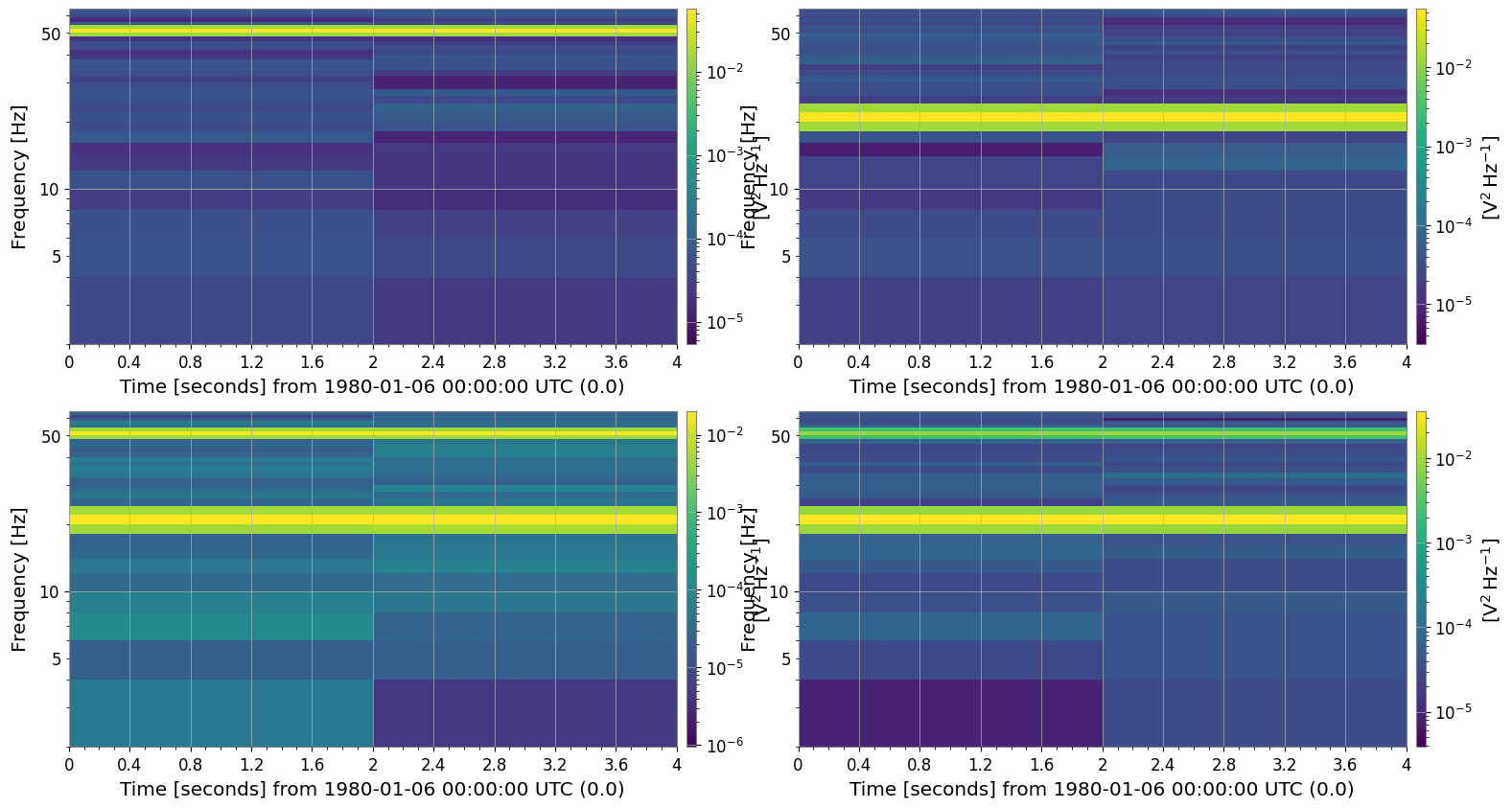
spec_matrix = tsm.spectrogram(2, fftlength=0.5, overlap=0.25)

print("Type:", type(spec_matrix))
print("Shape:", spec_matrix.shape)  # (Batch, Time, Freq)
spec_matrix.plot();
Type: <class 'gwexpy.spectrogram.matrix.SpectrogramMatrix'>
Shape: (2, 2, 2, 33)
Accessing Attributes
SpectrogramMatrix preserves information about the time and frequency axes from the original spectrograms.
[5]:
print("Time axis (first 5):", spec_matrix.times[:5])
print("Freq axis (first 5):", spec_matrix.frequencies[:5])
print("Unit:", spec_matrix.unit)
Time axis (first 5): [0. 2.] s
Freq axis (first 5): [0. 2. 4. 6. 8.] Hz
Unit: V2 / Hz
3. Numerical Computation and Statistics
Since SpectrogramMatrix is a subclass of numpy.ndarray, NumPy functions can be applied directly. Methods like mean() are also available.
For example, let’s calculate the average spectrogram across all channels (batch dimension).
[6]:
# Take the mean along axis=0 (Batch axis)
mean_spectrogram_data = spec_matrix.mean(axis=0)

print("Mean Data Shape:", mean_spectrogram_data.shape)
# The result is a 2D array of shape (Time, Freq)
Mean Data Shape: (2, 2, 33)
4. Plotting
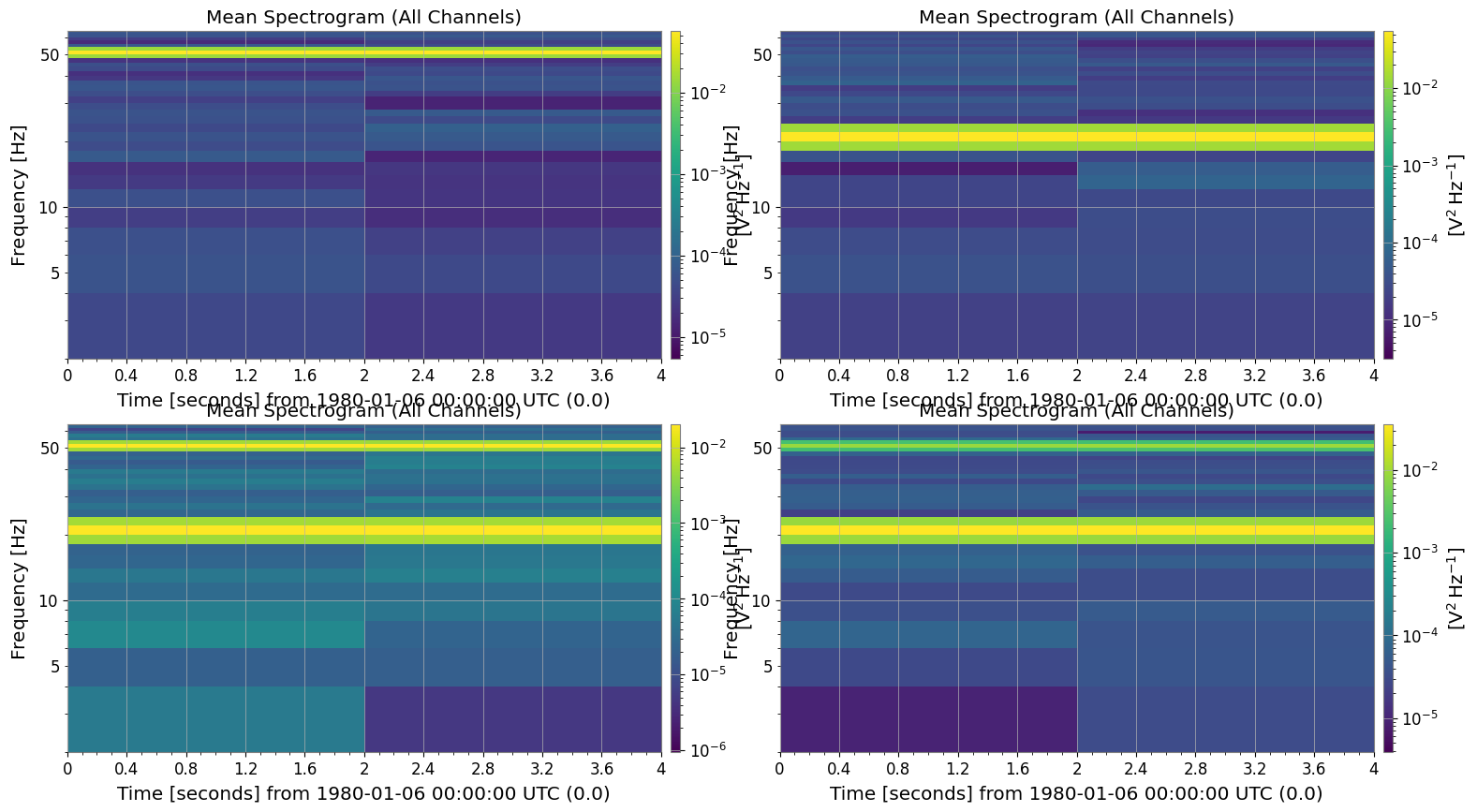
Use the plot() method to visualize the data. When calling plot() on 3-dimensional data (Batch, Time, Freq), by default the mean across the batch dimension is plotted. This is useful for examining the average characteristics across multiple events.
[7]:
plot = spec_matrix.plot(title="Mean Spectrogram (All Channels)")
plt.show()
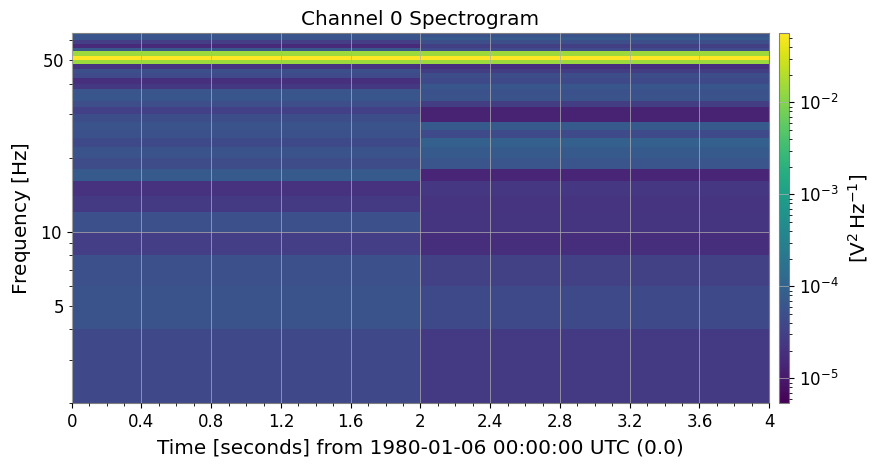
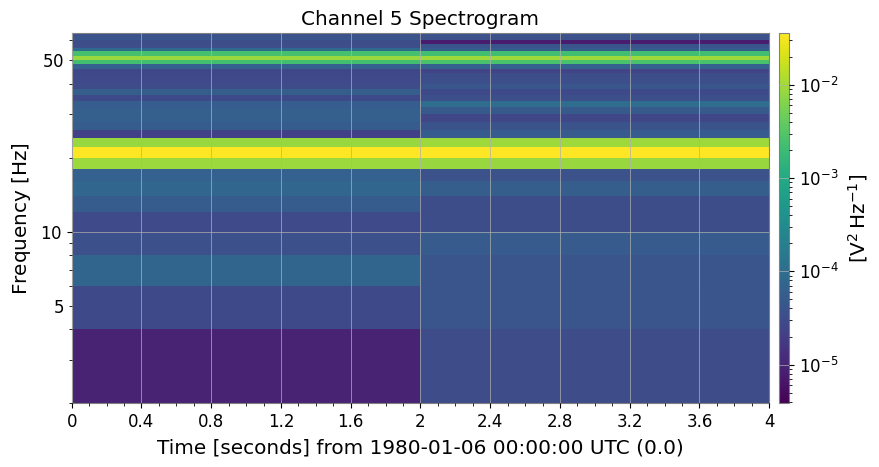
To plot only a specific channel, specify an index using the monitor argument.
[8]:
# Plot the first channel (Channel_0)
plot0 = spec_matrix.plot(monitor=0, title="Channel 0 Spectrogram")
plot0.show()

# Plot the fifth channel (Channel_5)
plot5 = spec_matrix.plot(monitor=3, title="Channel 5 Spectrogram")
plot5.show()
5. Integration with External Libraries
For machine learning or GPU computing, the data can be easily converted to PyTorch or CuPy tensors.
[9]:
# Conversion to PyTorch Tensor
try:
    import torch

    _ = torch
    torch_tensor = spec_matrix.to_torch()
    print("PyTorch Tensor:", type(torch_tensor))
    print("Shape:", torch_tensor.shape)
except ImportError:
    print("PyTorch is not installed.")

# Conversion to CuPy Array (if CUDA environment is available)
from gwexpy.interop import is_cupy_available

if is_cupy_available():
    cupy_array = spec_matrix.to_cupy()
    print("CuPy Array:", type(cupy_array))
    print("Shape:", cupy_array.shape)
else:
    pass
PyTorch is not installed.
Summary
``SpectrogramMatrix`` can be created using
SpectrogramList.to_matrix().It holds data as a 3-dimensional array
(Batch, Time, Freq).Methods like
mean()andplot()make it easy to aggregate and visualize data.It serves as a useful intermediate format for passing data to deep learning frameworks via methods like
to_torch().